
Data annotation platform comparison
A data annotation platform is software where people label pictures, video, documents or sound, so an AI model can learn from those examples. Here we look at 7 labeling platforms, using details gathered from the companies' own sites and public listings, so you can check which are free, where they run and what kinds of data they support.
| Platform | Open source | Runs on | Kinds of files | Price | Audits and laws it names |
|---|---|---|---|---|---|
| Labelbox | No | Cloud | Text, Rating AI chatbot answers, Robotics | Not published | SOC 2 Type II, NIST 800-171 |
| Encord | No | Cloud, VPC or on-premises (Enterprise) | Photos, Video, Sound, Text, 3D laser scans (LiDAR), Medical scans, Satellite and map images | Starter, Team and Enterprise plans on request | SOC 2, HIPAA, GDPR |
| V7 Darwin | No | Cloud or your private cloud | Photos, Video, Medical scans | Free tier; paid plans on request | SOC 2 Type II, HIPAA |
| SuperAnnotate | No | Cloud | Photos, Video, Text, Sound, Rating AI chatbot answers | Starter, Pro and Enterprise plans on request | SOC 2 Type II, ISO 27001 |
| Kili Technology | No | Cloud or on-premises (Enterprise) | Photos, Video, Text, Satellite and map images | Free trial; Grow and Enterprise on request | SOC 2 Type II, ISO 27001, HIPAA |
| Label Studio | Yes, Apache-2.0 | Self-host or cloud | Photos, Video, Text, Sound, Medical scans, Rating AI chatbot answers | Free; Starter Cloud $99 a month | SOC 2, HIPAA |
| CVAT | Yes, MIT | Self-host, cloud or air-gapped | Photos, Video, 3D laser scans (LiDAR), Sound | Team costs $23 to $33 a month for each user; a free plan is also offered | GDPR, CCPA |
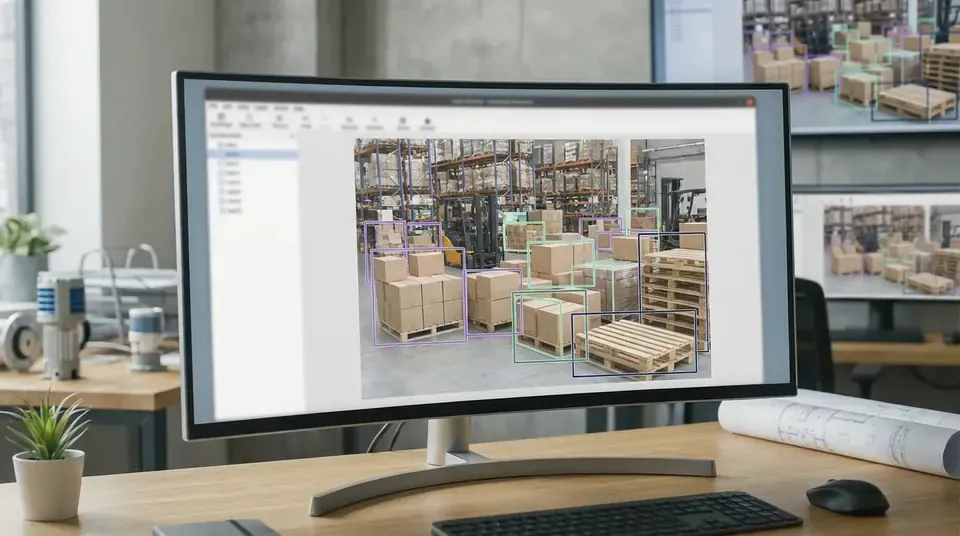
The basics
The tools support different kinds of labeling work, so the first step is finding one that handles your data. What sets them apart comes down to 4 things: whether the code is free, where the tool runs, which data types it handles and how much it costs.
Some platforms are open source. That means anyone can download the code and use or modify it at no cost. Open source tools can often be self-hosted too, meaning you set them up on hardware you control rather than working on the company's site.
Some tools, including Label Studio and V7 Darwin, let an AI model suggest labels for people to review.
How the 7 platforms compare
The prices and features below come from each company's own pages. If a company does not share a price publicly, the table notes that.
Security counts when the information you handle is sensitive. SOC 2 is an outside review that examines how well a company protects the data its customers hand over. SuperAnnotate and Labelbox both list SOC 2 Type II among their security credentials, and Labelbox also lists Europe's GDPR and California's CCPA privacy laws. Label Studio's Enterprise plan covers SOC 2 and HIPAA, the US rules for protecting health records, which matters if you're labeling medical data.
Which tool fits which job?
Your data type can help narrow the choice. Here are some of the uses listed by each company:
- CVAT supports images, video, audio and 3D data, with tools for marking objects and outlining their shapes
- Label Studio suits a team working across many data types at once, covering text and audio through to video and time series
- Encord suits video, laser scan data, sensor feeds and medical scans
- V7 Darwin suits medical images, microscopy and documents like PDFs and drawings
- Kili Technology suits documents, scanned pages and satellite imagery
- SuperAnnotate and Labelbox both handle work for training AI chat models, such as reviewing and comparing their answers, and Encord and V7 list this kind of work too
A few platforms also sell labeling done by people. Labelbox operates the Alignerr network, which it describes as over 2.6 million vetted specialists spanning more than 200 fields, according to Labelbox. V7 can supply annotators such as radiologists, pathologists and language specialists, while SuperAnnotate can supply subject-matter professionals along with gathering data on request.
Free options: which tools cost nothing?
CVAT Community and Label Studio Community Edition are both free and open source, and you can install either one on your own computer, as their GitHub pages explain.
Free editions skip some features. The automatic labeling built into CVAT, which uses the Segment Anything model, comes only with paid plans, so people on the free version hook up models of their own, according to the CVAT project page. The free edition of Label Studio leaves out 3D image and laser scan labeling.
Kili Technology's free trial gives one user 100 text, document or image items and five video or satellite items, per Kili's pricing page.
Asking labeling vendors for quotes
The software is only one part of the picture, since the actual labeling work still needs people. Alongside these 7 platforms, our site also compares 15 annotation companies.
Common questions about annotation platforms
Which tools can I host myself?
You can run the free Community editions of CVAT and Label Studio on your own hardware. Both also offer Enterprise versions you can host yourself, and CVAT Enterprise can run with no internet connection at all, while Label Studio Enterprise also has a cloud option.
Is a US labeling team more expensive?
In most cases, yes. Bringing on a US team typically runs two to four times the price of an offshore one. A second review pass adds 20 to 50 percent to the price.
What does image labeling cost?
Offshore rates that vendors publish tend to sit between $0.01 and $0.10 per image when the work is simple tagging. Box drawing tends to run $0.02 to $0.12 for each box. A batch of 1,000 images with 5 boxes apiece lands somewhere in the $100 to $600 range offshore, while a US team brings that same batch to about $200 to $2,400.
Is Label Studio available through AWS?
Yes. You can buy Label Studio Enterprise through AWS Marketplace, and the purchase counts against spending you have already agreed to with AWS.
Send one brief, hear from three vendors
Describe your data once and we pass it to three annotation vendors that label that kind of data, so you can compare quotes side by side.
- One short form instead of three sales calls
- Matched on data type, volume and security needs
- You choose who to talk to